
How to Buy a Tracking Number
NumbersStarting the Purchase
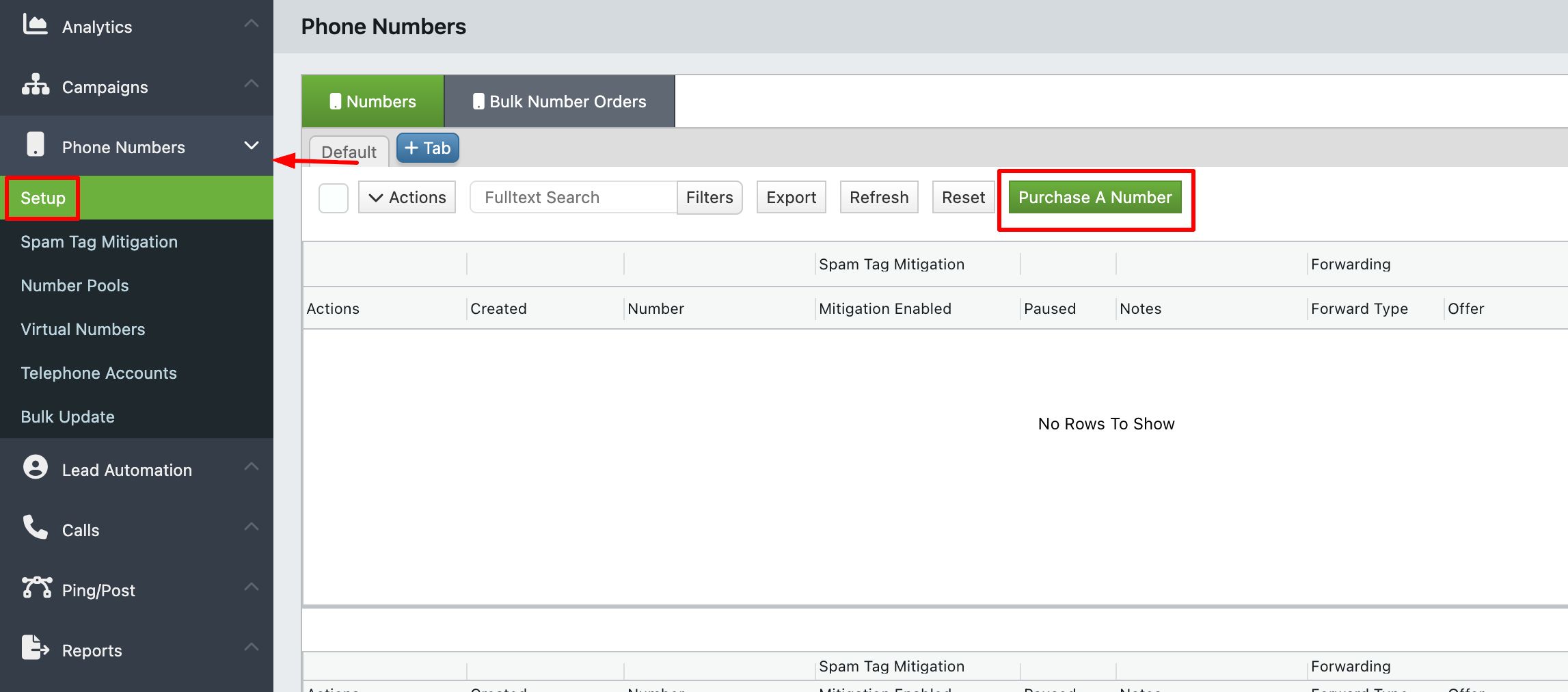
Navigate to Phone Numbers -> Setup in the left sidebar and click on Purchase A Number.
Filling Out the Form
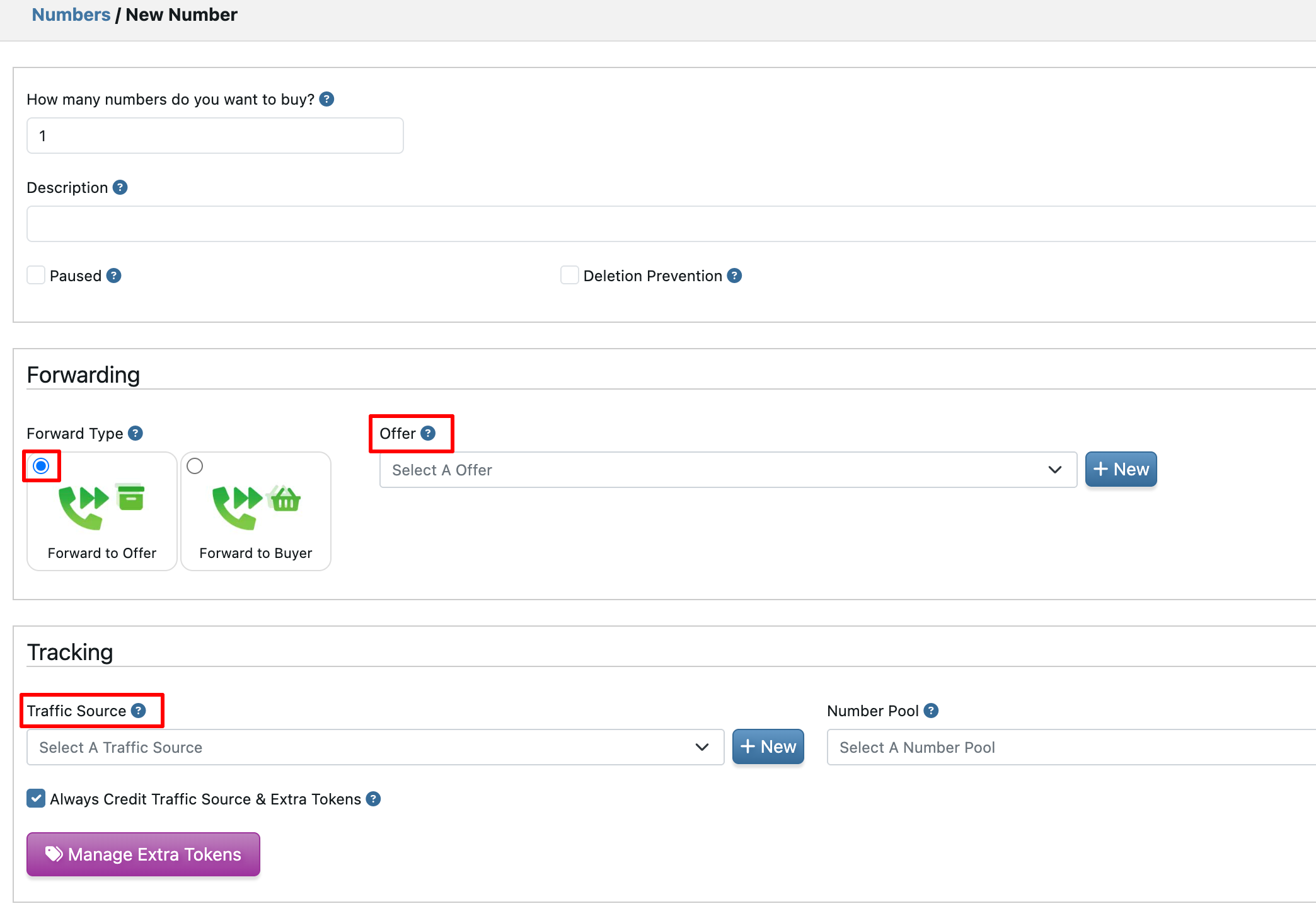
The form is organized into sections:
- TrackDrive Attributes. Select an Offer (which determines how inbound calls are routed) and an optional Traffic Source to attribute calls.
- Choose **Toll Free Number or Local Number, then Select Area Code or Toll Free Prefix,.
-
Order Summary displays the monthly rental rate, setup rate, and total cost.
Confirming the Purchase
Click Place Order to submit the form. TrackDrive reserves the number at the provider. Billing for the number rental begins immediately.
Verifying the Purchase
Once purchased, the new Number appears at Phone Numbers -> Setup. Click it to open the detail page, which shows the number, the provider, and the routing destination. At this point the number is live and ready to receive calls.

