
How to Create a Number Pool
NumbersA Number Pool is a group of tracking numbers that TrackDrive rotates across web visitors so that the phone number a visitor sees on your landing page is uniquely tied to their session. When they call, the Call record is stamped with the session attribution data: traffic source, UTM parameters, referring URL, and custom tokens.
Number Pool are what power call-based attribution for paid traffic, SEO campaigns, and affiliate marketing.
Creating the Pool
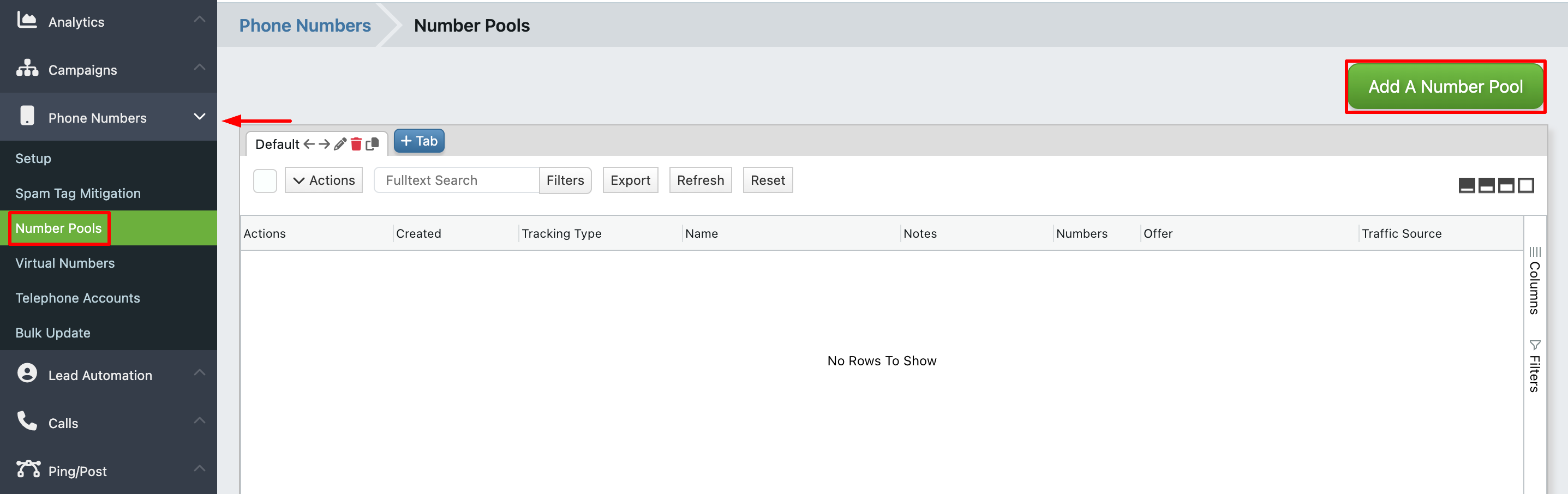
Navigate to Phone Numbers -> Number Pools in the left sidebar and click Add A Number Pool.
- Tracking Type combobox (defaults to Phone Number Tracking, which assigns each visitor a real telephone number purchased from a provider).
- Name for the pool.
- Offer combobox: which Offer routes inbound calls from these numbers.
- Optional Traffic Source combobox.
- Number Limit: maximum numbers that may sit in the pool.
- Token Hold Time: seconds a number retains its session tokens (the visitor's attribution data) before becoming eligible for reassignment.
- Number Stockpile: how many numbers to purchase immediately when the pool is created.
-
Phone Number Settings: Provider, Toll Free or Local radio, Area Code, and an Auto Rent Numbers option that buys more numbers automatically up to the Number Limit.
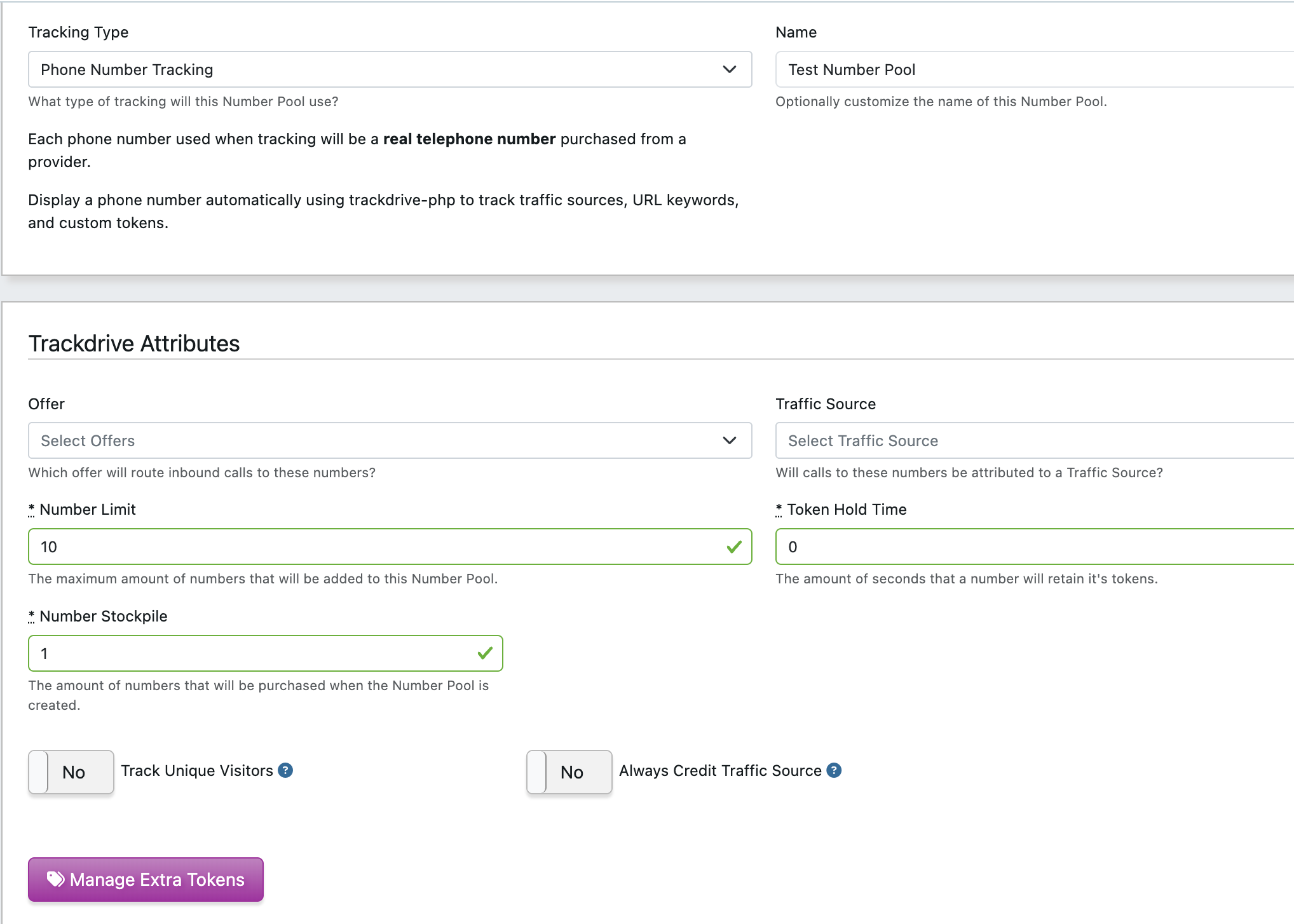
The Manage Extra Tokens control is where additional custom tokens beyond the defaults are added.
Click Create Number Pool to save. TrackDrive purchases the Number Stockpile count of numbers immediately, and the pool is ready to serve visitors.
Connecting to Your Website
Number Pools are rendered on your site via trackdrive-optimizer.js. See the companion article "How to Display Dynamic Numbers on Your Site" for the installation and tag snippets.
Ring Pool Sizing
The pool must be large enough that concurrent visitors each receive a unique number. If you have more
simultaneous visitors than numbers, pool rotation will reuse numbers and attribution accuracy will degrade.

