
How to Create Campaigns
OffersCampaigns are the central routing unit in TrackDrive. Every Tracking Number, Schedule and Buyer ultimately hangs off on Campaigns. Creation is intentionally lightweight: a short wizard captures the essentials, then the Offer opens in its full edit page where every other section is configured.
Steps
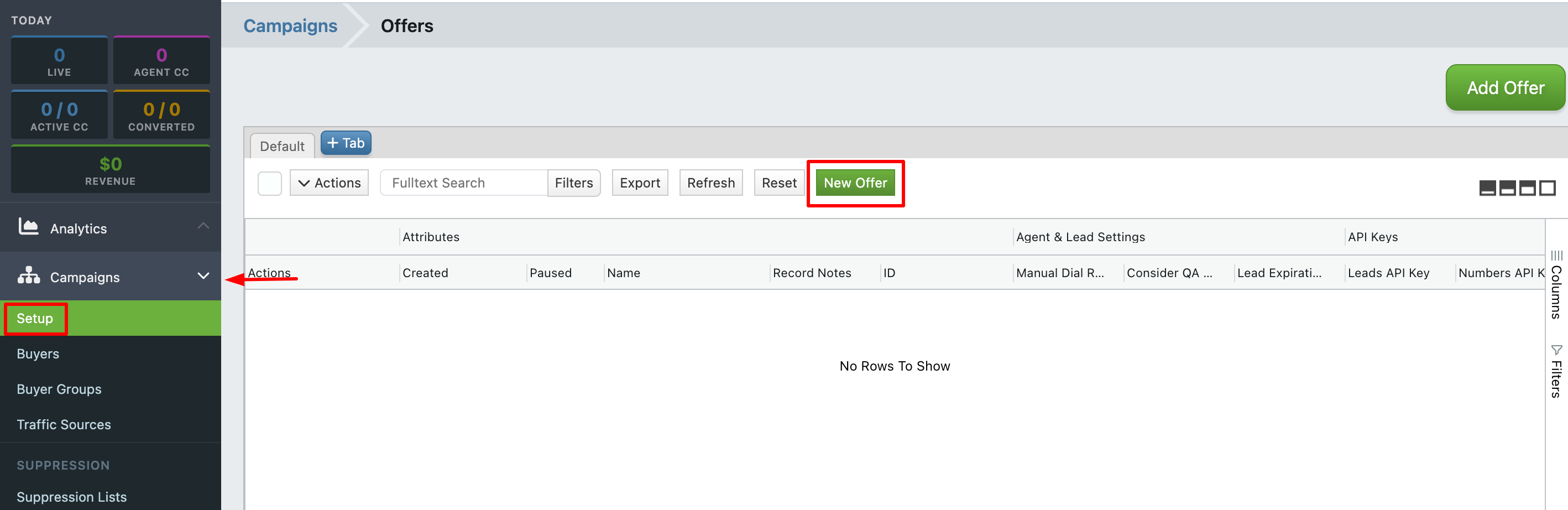
In the sidebar open Campaigns -> Setup and click New Offer.
-
Fill in the Attributes wizard. All fields arrive pre-populated, so you can edit only what you care about:
- Name (required). A human-readable Campaign Name.
-
Offer ID. A unique short identifier ID
IC001. The wizard pre-fills a generated value likeNIKLAN40cdc810. Replace it with something memorable if you have a convention. - Record Calls. Checked by default.
- Password Protect Recordings. Unchecked by default. When enabled, only logged-in users with company access can download recordings.
- Select A Campaign Template. Selecting one shows a "Template Details" preview below the dropdown.
- Click Create Offer.
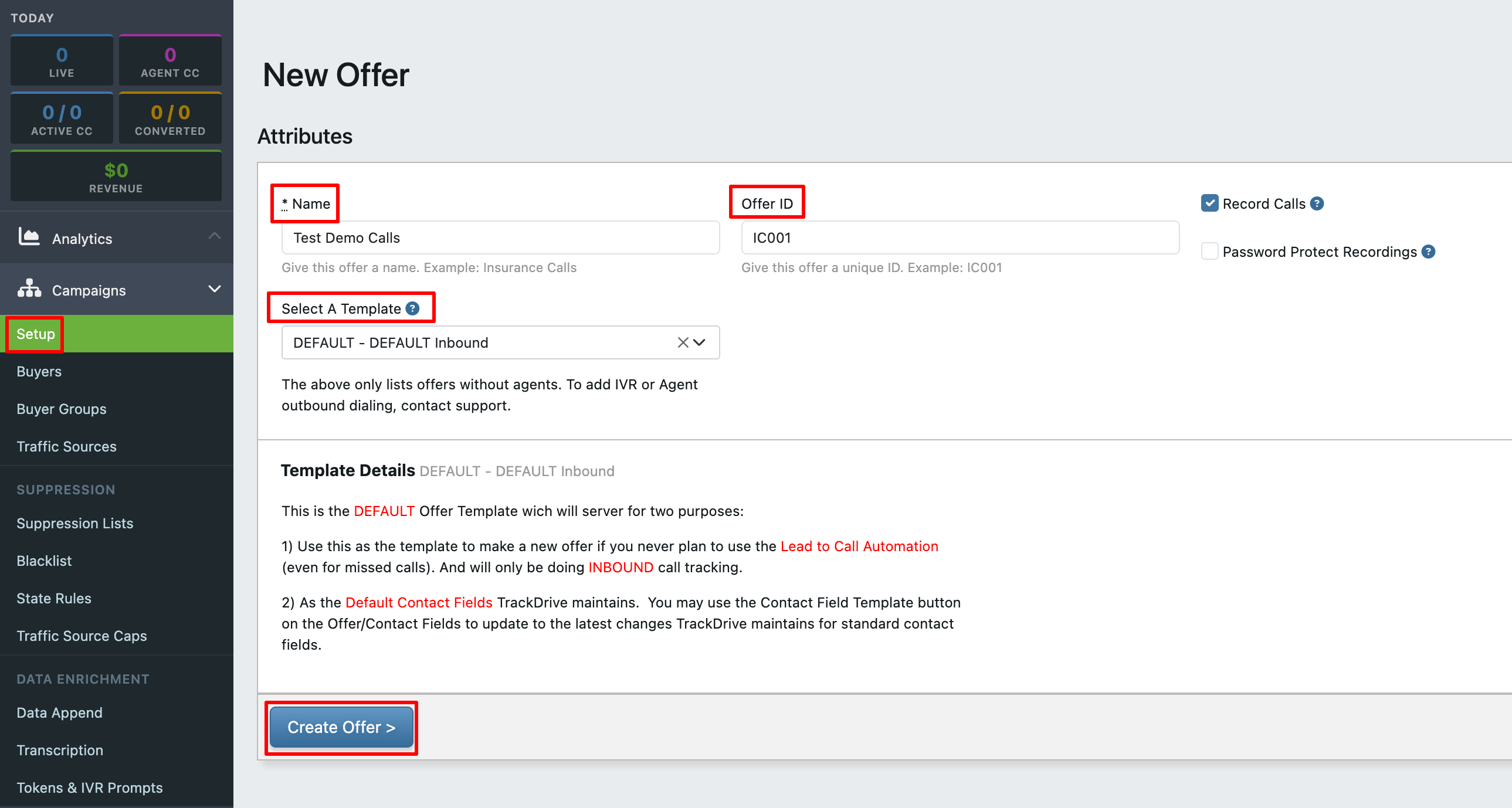
The Campaign is created immediately and you are taken to it edit page.
After Campaign Creation: Edit Page
- Call Flow: Define how inbound calls are handled from the moment they hit a tracking number. Click Edit Call Flow under Call Handling Add Buyer on the Call Flow.
- Callback Behavior: How TrackDrive handles return calls.
- Telephone Numbers: Tracking numbers and Number Pools attached Campaigns. See "How to Buy a Number" and "How to Create a Ring Pool" under Numbers.
- Premium Services: Opt-in features such as Post-Call Transcription & Keyword Spotting.
- Optional Settings: contains Traffic Source Payouts (see "How to Set Campaign Payouts"), Lead Creation & Retention rules, Posting Instructions, Contact Fields Triggers for Webhooks & Actions, and Incoming Webhooks.
- Dynamic Number Insertion Settings: configuration for swapping numbers on your website per visitor.
- SMS Flows: how incoming SMS messages are handled.
Companion Articles
Now that the Campaign exists, you will typically:
- Add buyers (see "How to Add a Buyer to an Offer").
- Attach a tracking number (see "How to Buy a Number" under Numbers).
- Retrieve the Offer's API tokens for lead submission (see "How to Find Your Offer API Tokens").
- Set Traffic Source payouts (see "How to Set Campaign Payouts").

